Convert 3GP to GIF on Mac
Select the 3GP files in Finder, press ⌥ F, choose GIF and press Return. FileFlip saves each GIF next to its original and works without an internet connection.
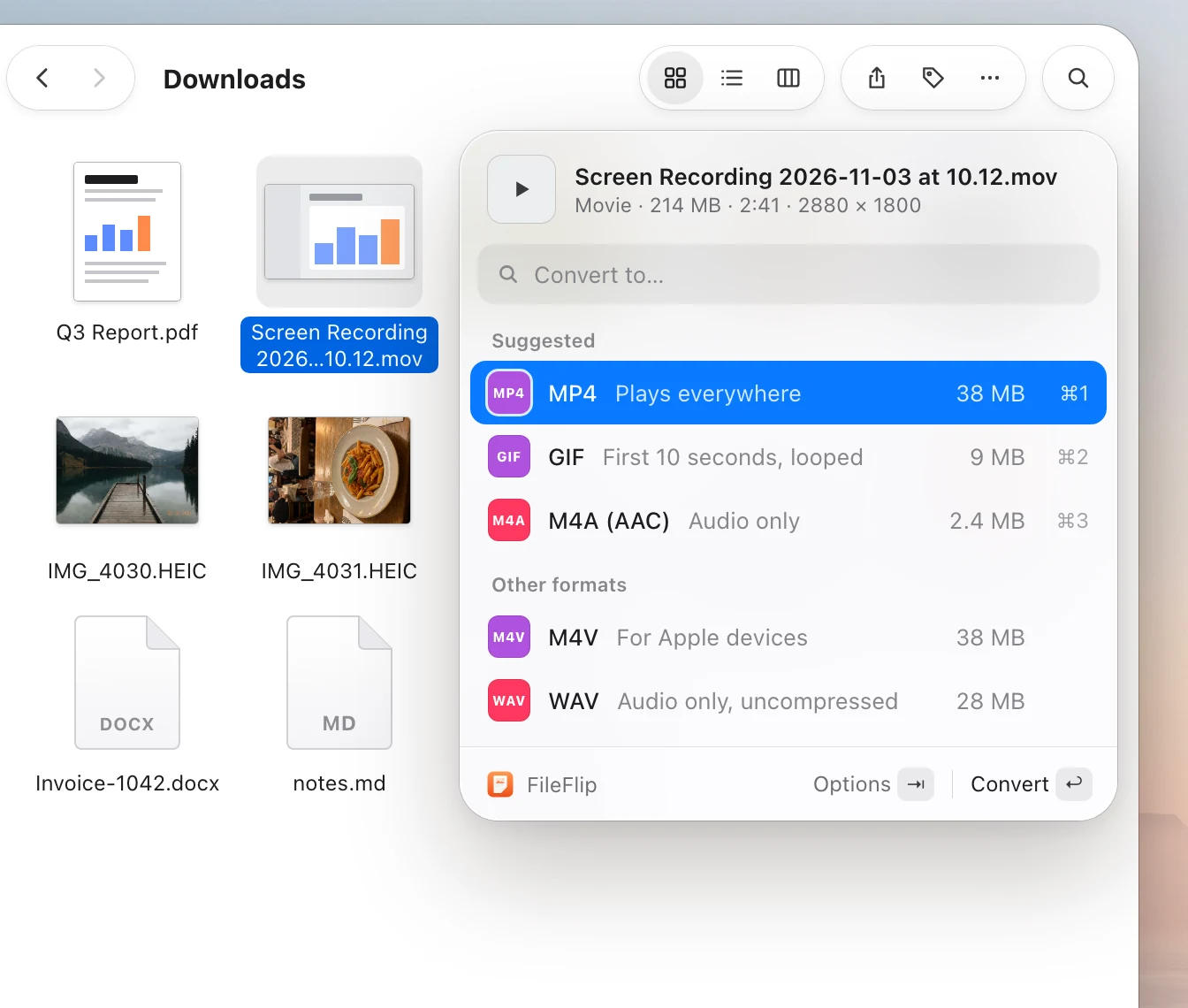
How to convert 3GP to GIF with FileFlip
Select the 3GP files
In Finder or on the Desktop. One file, or a whole folder with ⌘ A.
Press ⌥ F
FileFlip opens next to the selection and lists the formats it can make from 3GP. Type “GIF” to jump to it.
Choose GIF and press Return
The GIF files appear next to the originals with the same names. The 3GP files stay as they are.
3GP and GIF
Videos from older phones are often 3GP, which many modern apps and websites don’t accept. GIF animations play everywhere, from chat apps to old email clients.
What changes when you convert
- GIF has no sound and at most 256 colors per frame, and files grow quickly with length, so it suits short clips.
- 3GP videos are usually low resolution, and converting won’t add detail.
| Property | 3GP | GIF |
|---|---|---|
| Full name | 3GPP multimedia file | Graphics Interchange Format |
| Made by | 3GPP (3rd Generation Partnership Project) | CompuServe |
| Compression | Container for low-bitrate mobile video | Lossless, up to 256 colors |
| Best for | Videos from older phones | Short animations and simple graphics |
| Opens in | QuickTime Player and most media players | Everywhere, including browsers and chat apps |
| File extension | .3gp | .gif |
| In FileFlip | Opens | Opens and saves |
Other ways on a Mac
Here’s what you can do with what’s already on your Mac.
No built-in export
QuickTime Player, Photos and the command-line tools that come with macOS don’t export GIF, so you need an app for this one.
Questions about 3GP and GIF
Does the GIF have sound?
No. GIF can’t store audio, and it’s limited to 256 colors per frame, so it’s best for short clips.
Can I convert many 3GP files at once?
Yes. Select them all in Finder, press ⌥ F and choose GIF. Progress moves to the menu bar, so you can close the panel and keep working.
Where is the GIF file saved?
Next to the original, with the same name and the .gif extension. The 3GP file isn’t changed. In Settings you can choose a different folder instead.
Can I convert GIF back to 3GP?
No. FileFlip opens 3GP files but doesn’t save them.
Are my files uploaded anywhere?
No. FileFlip converts files on your Mac and works with the internet turned off.
Convert all your videos at once
FileFlip also handles images, camera raw files, audio, PDFs, documents and data files. Requires macOS 14 Sonoma or later.
Coming soon for Mac